




 Royal Seafarer ListingsSearch Property Records
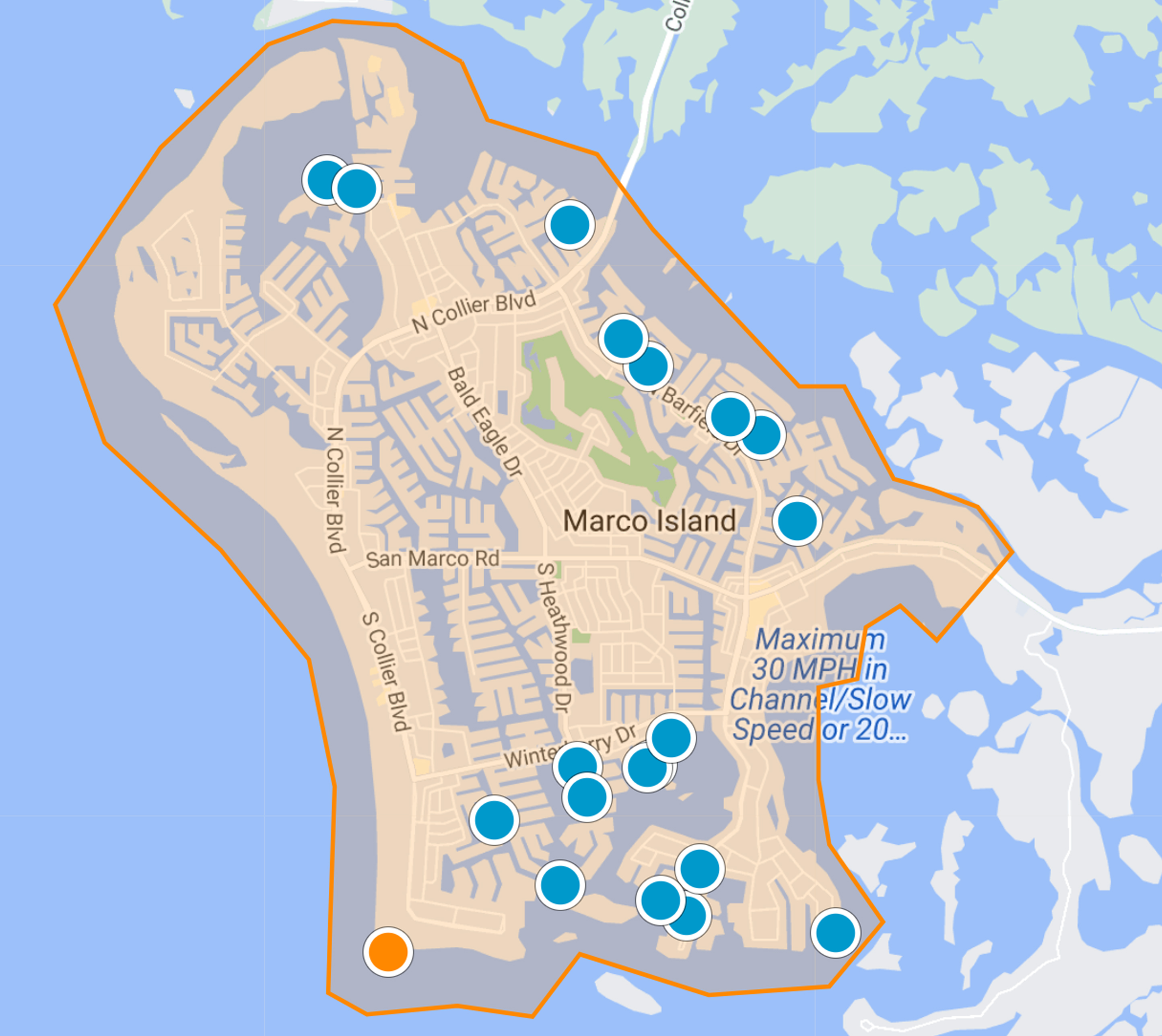 Royal Seafarer MapExplore Search Locations
 Royal Seafarer GuideReview Property Context
Start With the Royal Seafarer Search
This report uses the Royal Seafarer subdivision search within Marco Island. The linked listing search and map use the same saved search, which includes active, sold and pending statuses. Read the status and dates on each result: a property appearing in the search is not necessarily available for purchase. Check the condominium and residence details before using a record in your comparison.
The search gives you a starting set of records to examine. Results can change as listings and transaction information are updated. An empty category does not establish that no activity has ever occurred, and the search does not replace a review of the individual property. Keep the scope of the displayed records clear when discussing supply or recent sales.
Browse the listing and sales tables below. The three circles above open the listing search, its map and the Royal Seafarer guide.
Read the Status Before Comparing Prices
An active listing presents an asking price. It shows what a seller is seeking, without establishing the amount a buyer will ultimately pay. A pending record indicates a reported contract stage; it does not provide a completed closing result. Keep those records separate from sold transactions when organizing a pricing discussion.
For a sold record, review the reported closing price and closing date. Do not substitute the last asking price for the amount reported at closing. A difference between those figures can prompt useful questions, but the displayed prices alone do not explain concessions, credits or all negotiated terms. Confirm material details for the particular transaction.
Review the categories actually shown in the tables. Current competition and completed sales can both inform your decisions, while answering different questions about available choices and previous transactions.
Compare the Residence Behind Each Record
Start with the residence you are considering, then identify records that deserve closer comparison. Examine the documented layout, interior area, floor level, orientation, condition and outlook. A shared condominium name does not make two residences equivalent, and a similar price does not establish a similar level of renovation.
When area figures differ, identify the source and what each measurement includes before calculating a price per square foot. Review the plan and supporting documents for the unit. Verify outdoor space, parking, storage and any other feature that matters to your decision rather than assuming that the description of one residence applies to another.
Write down why a comparison is useful and where it differs. This makes it easier to discuss adjustments and missing information than relying on a list of prices without explaining the properties behind them.
Check Dates, Reporting Periods and Sample Size
The sold table is configured for a twelve-month window, with up to fifty rows per listing table. Read the individual transaction dates and the period labels beside charts and totals. Different periods, available records or display limits can affect what is shown. Check those details before treating a difference between a chart and a table as a complete explanation of market activity.
A small group of sales can be strongly influenced by the residences that happen to appear in it. Differences in layout, condition and sale timing can move an average without describing the change in value of a particular unit. Review the underlying records and sample size before relying on a summary figure.
Consider timing together with the quality of the comparison. A recent transaction involving a substantially different residence may need more qualification than an older, closer match. Explain the basis for that choice and revisit it as relevant information changes.
Include Condition and Ownership Costs
Review documented improvements and remaining work alongside price. Ask which alterations were completed, what supporting records are available and which items need professional inspection. A photograph or general description of renovation cannot establish the condition of concealed systems. Separate verified work from features that still need examination.
Request current association documents and review budgets, reserves, insurance responsibilities, assessments and planned projects with appropriate advisers. Identify recurring costs and any obligations specific to the residence or transaction. Confirm current rental, pet, occupancy and approval provisions for your intended use before evaluating an offer.
Keep these questions connected to the individual comparison. A lower asking price may warrant a closer look at required work or costs; a higher price still needs support from the residence and relevant evidence. Price alone does not resolve those questions.
Explore Other Guides With a Clear Comparison
The Royal Seafarer guide provides a separate place to review property context. The three guides below offer other Marco Island properties to consider when defining your preferences. Their links do not add those properties to this report’s search or establish that their residences are directly comparable.
You can also explore the Marco Island waterfront condo directory. Keep each property’s records and governing documents distinct, and explain why a specific sale belongs in a Royal Seafarer comparison.
Plan a Focused Royal Seafarer Review
Begin with your residence, timeframe and priorities. Select the current alternatives and completed sales that warrant closer review, then document why each is relevant. Where an important detail is missing, identify it as a question for verification rather than filling the gap with an assumption.
Schulz Realty can help organize those records, distinguish asking prices from closing results and identify property questions to pursue. A focused comparison supports discussion of price and negotiating priorities while keeping inspection findings, document review and changing availability visible.
 The data relating to real estate for sale on this web site comes in part from the Broker Reciprocity Program (BR Program) of M.L.S. of Naples, Inc. Properties listed with brokerage firms other than this company are marked with the BR Program Icon or the BR House Icon and detailed information about them includes the name of the listing brokers. The properties displayed may not be all the properties available through the BR Program. The information provided is for consumers’ personal, non-commercial use and may not be used for any other purpose.